CDP's Agentkit Starter Template
Overview
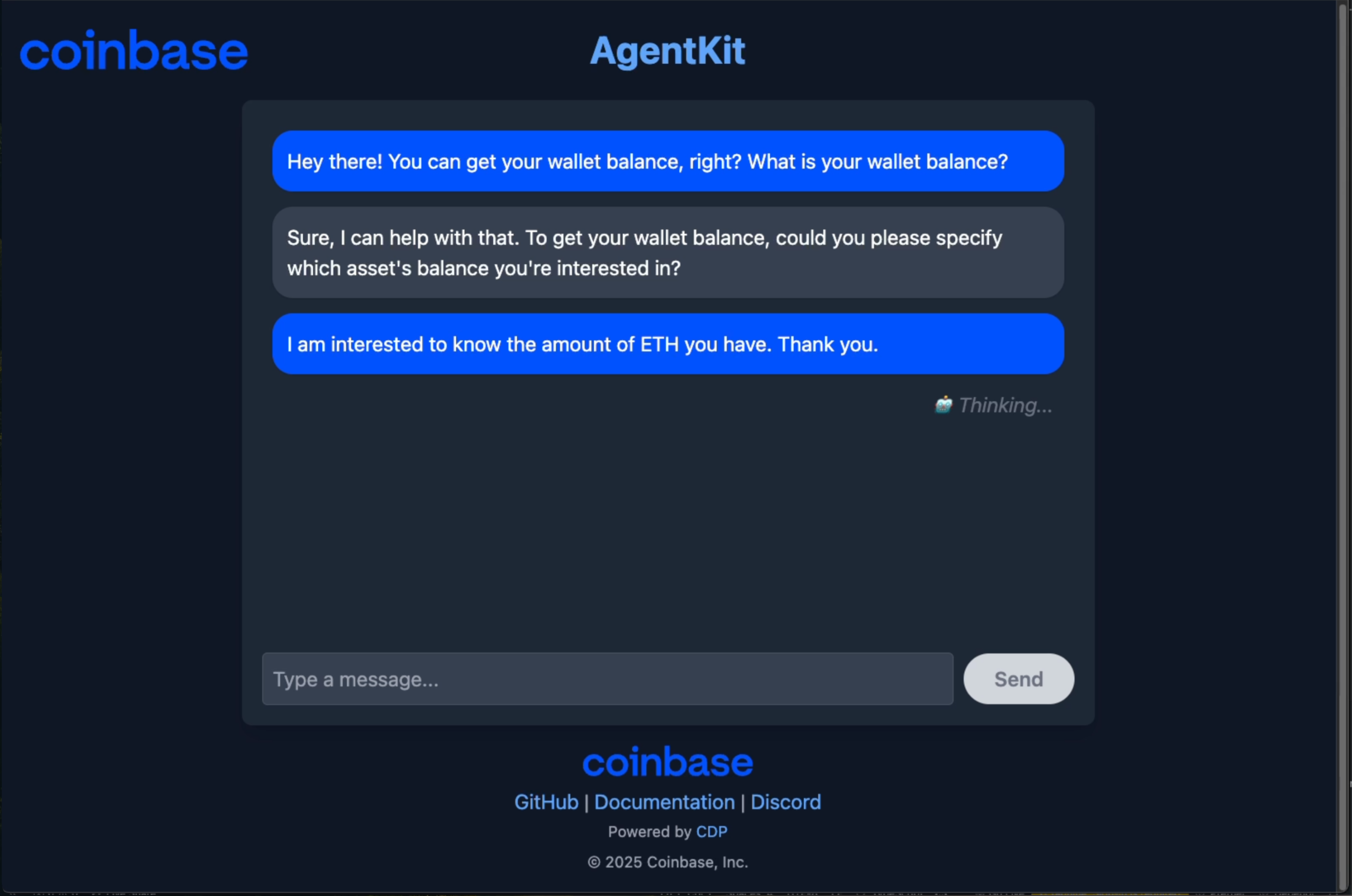
This template shows an onchain agent powered by Coinbase's AgentKit with the Next.js framework on the frontend and LangGraph for the agent's setup. The agent is designed for AI-driven on-chain capabilities.
AgentKit handles these interactions by using a Gaia node for Large Language Model (LLM) inferencing.
Features
-
AI-Driven on-chain interactions: Leverages AgentKit to enable AI agents to perform actions on blockchain networks.
-
Bootstrapped: Built as a Next.js project with a LangGraph in the server, bootstrapped with
npm create onchain-agent@latest. -
Configurable LLM: Supports integration with LLMs hosted on Gaia nodes, specifically configured for tool use inferencing (e.g., Llama-3-Groq-8B-Tool, Llama-3.3-70B-Instruct-Q5_K_M).
-
Wallet management: Integrates with a
SmartWalletProviderfor blockchain interactions, with persistent wallet data management. -
Extensible actions: Utilizes various Action Providers (e.g., WETH, Pyth, ERC20, CDP API, Wallet actions) to define the agent's capabilities.
-
Chat interface: Provides a user-friendly chat interface for interacting with the agent.
-
Streamed responses: Agent responses are streamed for a more interactive user experience.
-
Memory: Incorporates memory for conversations using
MemorySaverfrom LangGraph.
Getting started
Prerequisites
- Node.js 18 or later is installed
- Confirm that npm 9 or later is installed
Check your Node.js and npm versions:
node --version  # Should be 18+
npm --version   # Should be 9+
- You can use either a public Gaia node for example: https://llama70b.gaia.domains/v1 or run the node locally.
Creating a new project
You can use the CLI to bootsrap a new Agenkit project with the command below:
npm create onchain-agent@latest
Follow the instructions on the CLI to setup your project and choose the Smart wallet (default) option for the setup. You can also make a framework choice among:
- LangChain
- Vercel AI SDK
There is also an Model Context Protocol (MCP) option, but, in this guide, we cover using the LangChain option.
Configure secrets and values
Rename the .env.example to .env and ensure that you have the below values:
CDP_API_KEY_NAME=
CDP_API_KEY_PRIVATE_KEY=

# Optional
NETWORK_ID=base-sepolia
To obtain the values for CDP_API_KEY_NAME and CDP_API_KEY_PRIVATE_KEY head over to CDP portal to create a new API key. Copy the API key name and private key values from the modal that appears.
The NETWORK_ID can stay as base-sepolia and you can explore the possible network options as well.
Project structure
└── onchain-agent/
    ├── README.md
    ├── next-env.d.ts
    ├── next.config.js
    ├── package.json
    ├── postcss.config.mjs
    ├── tailwind.config.ts
    ├── tsconfig.json
    ├── wallet_data.txt
    ├── .eslintrc.json
    ├── .npmignore
    ├── .yarnrc.yml
    └── app/
        ├── globals.css
        ├── layout.tsx
        ├── page.tsx
        ├── api/
        │   └── agent/
        │       ├── create-agent.ts
        │       ├── prepare-agentkit.ts
        │       └── route.ts
        ├── hooks/
        │   └── useAgent.ts
        └── types/
            └── api.ts
Gaia Integration
A local Gaia node does not require an API key. You will need a Gaia API key to use public nodes.
The LLM inferencing is offloaded to a Gaia node:
- The LLM is configured in
app/api/agent/create-agent.ts. - The project uses
ChatOpenAIfrom@langchain/openaito connect to the Gaia node. - The specific model configured is "Llama-3-Groq-8B-Tool".
- The Gaia node endpoint is set via the
baseURLin theChatOpenAIconfiguration:
For example with a local node running on a machine:
const llm = new ChatOpenAI({
  model: "Llama-3-Groq-8B-Tool",
  configuration: {
    baseURL: "https://YOUR_NODE_ID.gaia.domains/v1", // Gaia node URL
    apiKey: "gaia", // API key for the Gaia node (if required)
  },
});
Run template
The below command runs the template:
npm run dev
With the template running, there a few example prompts you can use to test the agent:
- "What is your wallet address?"
- "What is your wallet balance? Check and confirm."
- "Share your wallet details including every relevant information."
Documentation
For further information and advanced topics, refer to the following official documentation:
-
AgentKit Documentation:
-
GaiaNet Documentation:
- Gaia Node Setup (example Llama-3-Groq-8B-Tool): https://github.com/GaiaNet-AI/node-configs/tree/main/llama-3-groq-8b-tool
-
Coinbase Developer Platform (CDP): https://docs.cdp.coinbase.com/