PDF Question-Answering with Gaia and Qdrant
Gaia PDF RAG is a Retrieval-Augmented Generation (RAG) application that allows users to ask questions about PDF documents using a local Gaia node and Qdrant vector database. It combines the power of local LLMs with efficient vector search to provide accurate, context-aware answers.
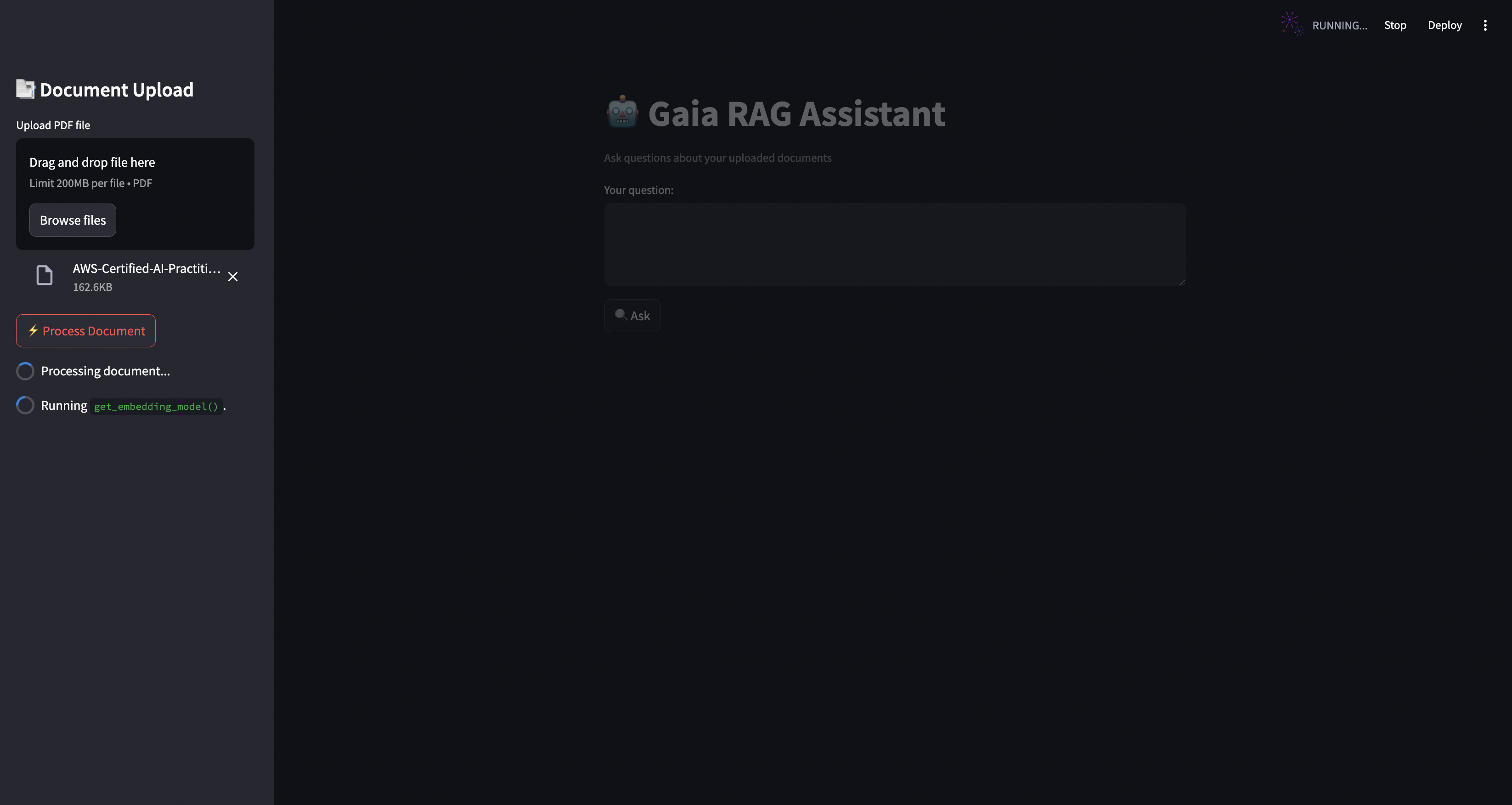
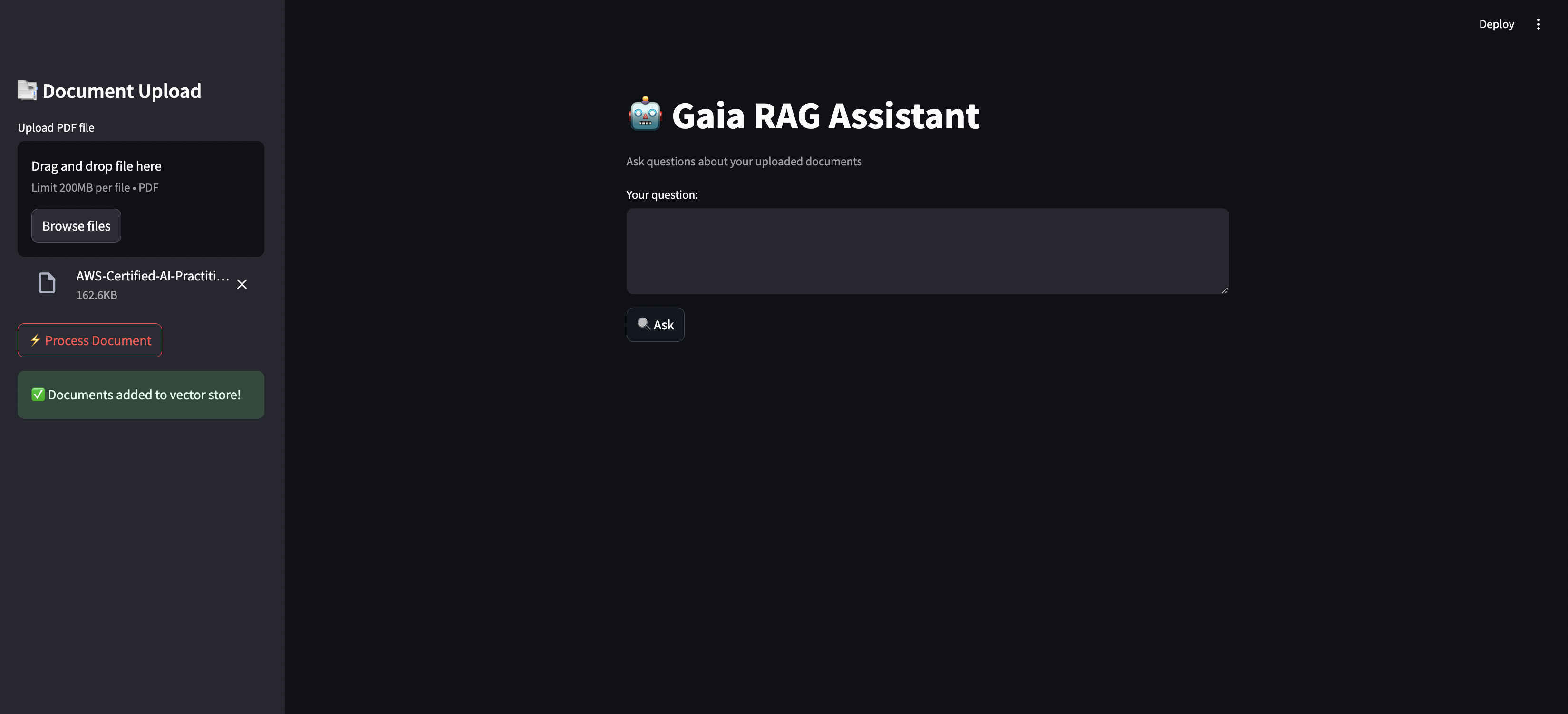
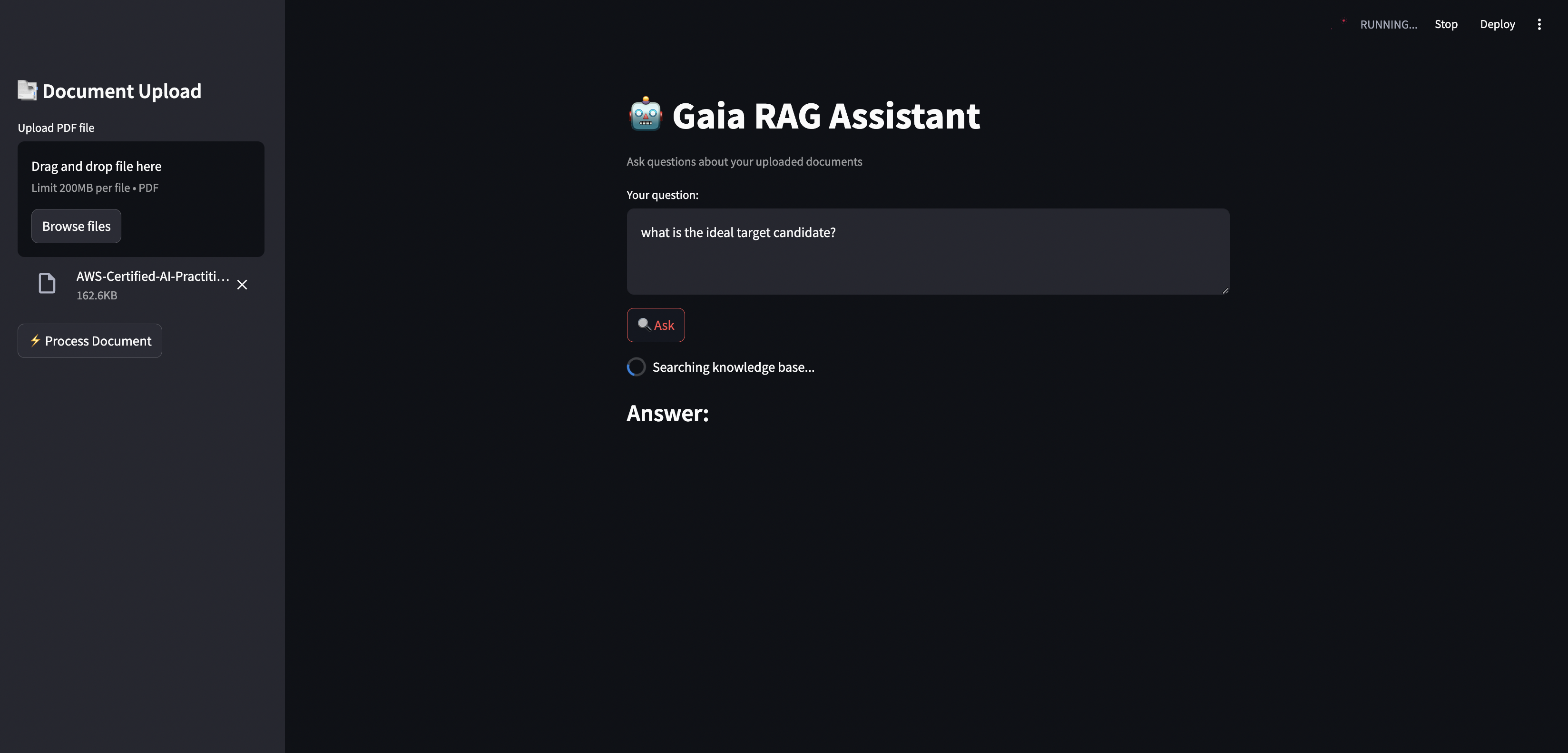
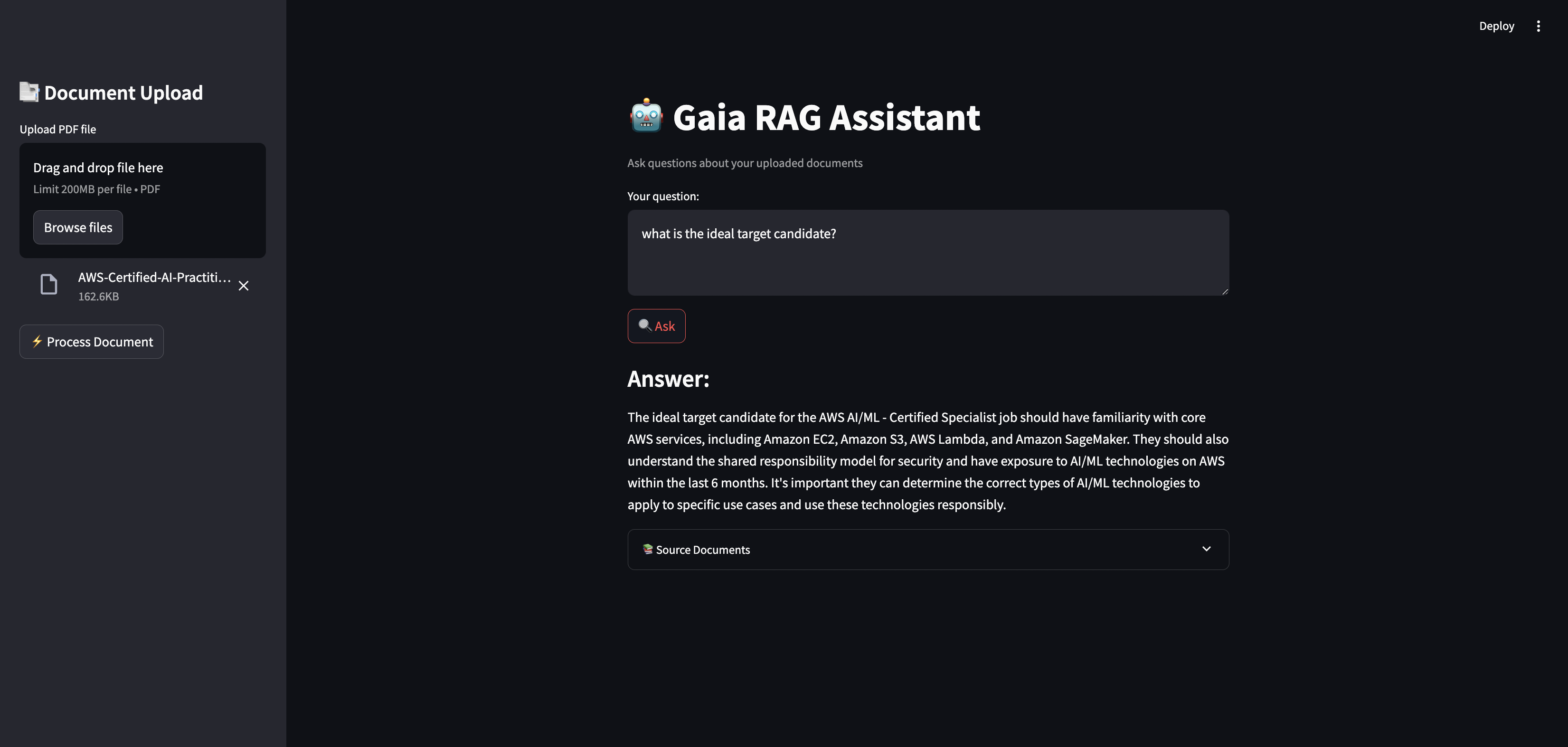
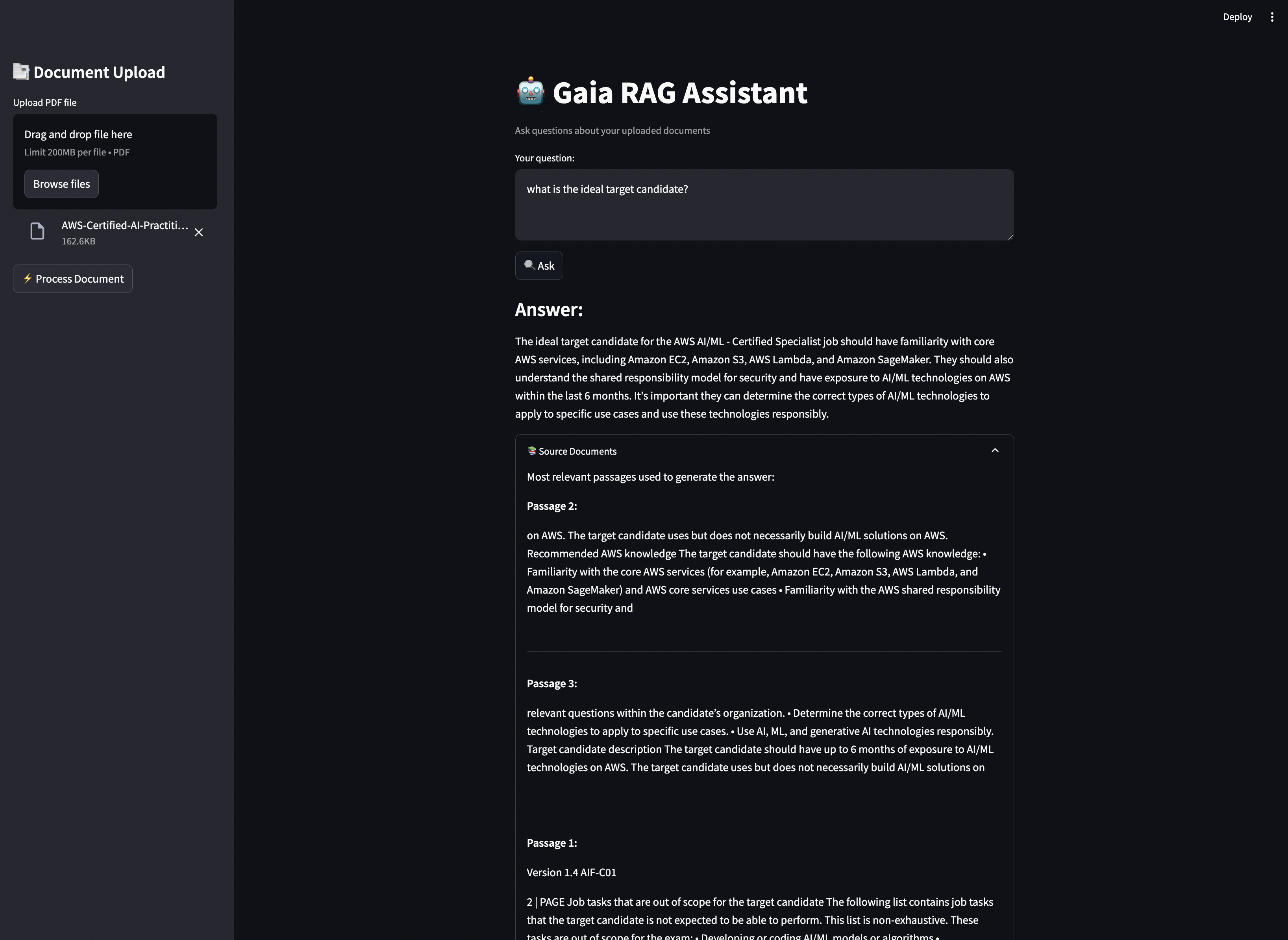
The complete source code and detailed instructions for setting up and running this example can be found in the Gaia Cookbook repository.
What You Can Learn and Build:
By exploring and adapting this example, you can learn how to:
- Process and Chunk PDF Documents: Understand the steps involved in breaking down PDF files into manageable segments for effective retrieval.
- Implement Semantic Search with Qdrant: See how to leverage a vector database for efficient and context-aware searching of your document chunks.
- Integrate Local LLMs via Gaia: Learn how to connect to your local Gaia node to utilize the power of locally hosted language models for question answering.
- Enhance Relevance with Cross-Encoder Reranking: Discover techniques to refine search results and improve the accuracy of retrieved information.
- Provide a Seamless User Experience with Streaming Responses: Implement real-time feedback for users as the answer is generated.
- Ensure Trustworthiness with Smart Source Citation: Learn how to provide clear references to the source documents for each answer.
- Mitigate Hallucinations with Relevance Filtering: Explore strategies to filter out irrelevant information and reduce the likelihood of inaccurate responses.
- Build a Customizable PDF Q&A Bot: This example provides a solid foundation for you to tailor and deploy your own question-answering system for specific PDF documents or collections.
Key Features Demonstrated:
- 📑 PDF Document Processing and Chunking: Efficiently handles the extraction and segmentation of content from PDF files.
- 🔍 Semantic Search using Qdrant: Leverages vector embeddings for intelligent retrieval of relevant document parts.
- 🤖 Local LLM Integration through Gaia node: Connects to your locally running LLM for generating answers based on retrieved context.
- ↗️ Cross-encoder reranking for improved relevance: Optimizes search results by applying a more sophisticated ranking model.
- 💨 Streaming responses for better UX: Provides a more interactive and responsive user experience.
- 🎯 Smart source citation: Clearly indicates the source documents used to generate each answer.
- ⚡ Relevance filtering to prevent hallucinations: Enhances the reliability of answers by filtering out less relevant information.
Getting Started:
Prerequisites
Before running Gaia RAG, ensure you have:
- A local Gaia node running (Check this link to learn how to run your own local LLM: https://docs.gaianet.ai/node-guide/quick-start)
- Qdrant server running
- Python 3.8+
- Required system libraries for PDF processing
Installation
- Clone the repository:
git clone https://github.com/harishkotra/gaia-pdf-rag.git
cd gaia-pdf-rag
- Create a virtual environment:
python -m venv venv
source venv/bin/activate  # On Windows use: venv\Scripts\activate
- Install dependencies:
pip install -r requirements.txt
Setting Up Components
1. Gaia Node
Start your local Gaia node:
gaianet init
gaianet start
2. Qdrant Server
Start Qdrant using Docker:
docker run -d -p 6333:6333 -p 6334:6334 \
    -v $(pwd)/qdrant_storage:/qdrant/storage \
    qdrant/qdrant
Running the Application
-
Make sure both Gaia node and Qdrant are running
-
Start the Streamlit app:
streamlit run app.py
- Open your browser at
http://localhost:8501
Usage
- Upload a PDF document using the sidebar
- Click "Process Document" to index it
- Ask questions in the main input field
- View answers and relevant source documents
Configuration
You can modify the following parameters in app.py:
GAIA_NODE_URL: URL of your local Gaia nodeQDRANT_HOST: Qdrant server hostQDRANT_PORT: Qdrant server portVECTOR_SIZE: Embedding dimension sizeCOLLECTION_NAME: Name for vector database collection
Project Structure
gaia-pdf-rag/
├── app.py              # Main Streamlit application
├── requirements.txt    # Python dependencies
├── .gitignore          # Gitignore file
├── README.md
The complete source code and detailed instructions for setting up and running this example can be found in the Gaia Cookbook repository.